
Yanshuf
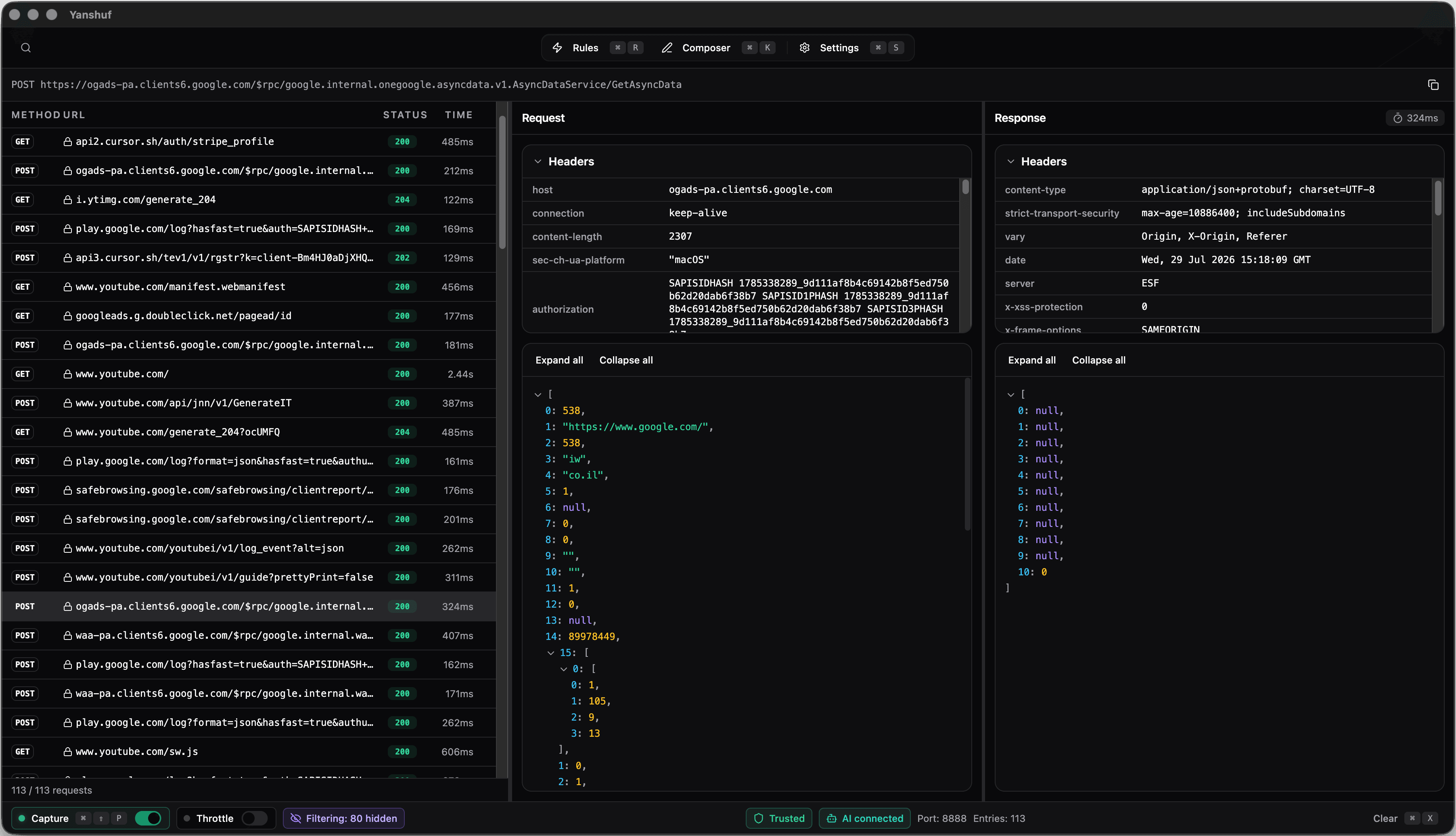
See every request your Mac sends.
Yanshuf shows the HTTP and HTTPS traffic on your Mac. Read a request, change it, and send it again. Free and open source.
Rules
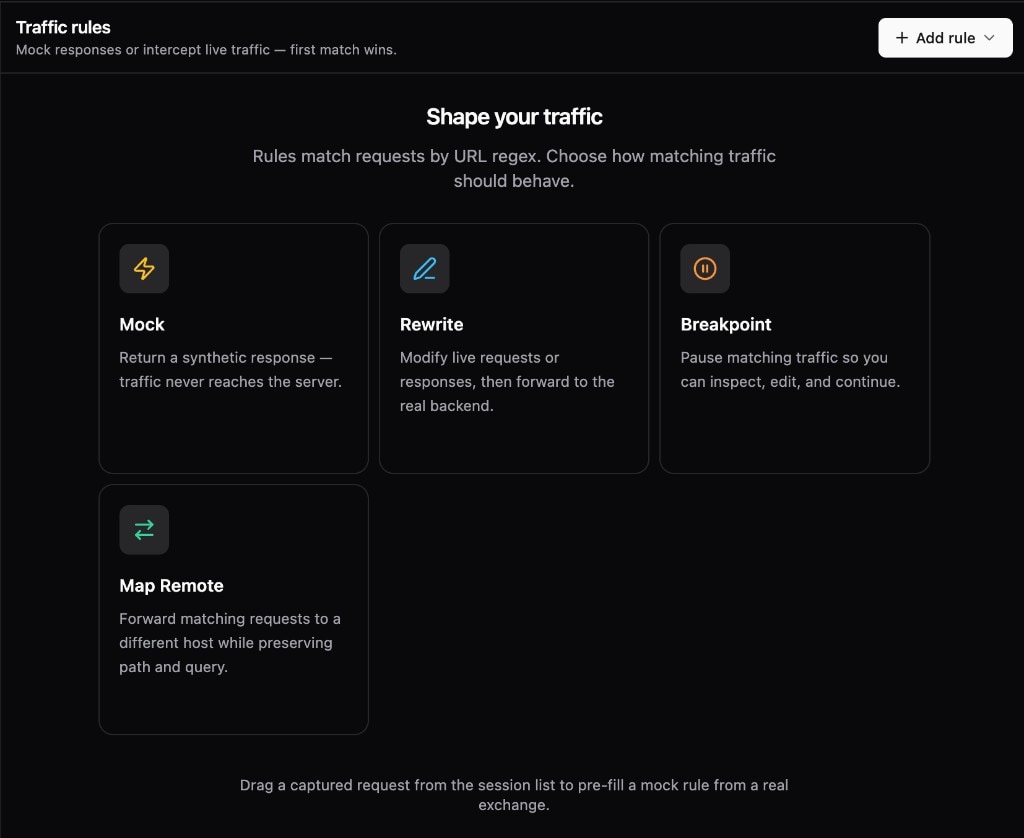
Change a request before it reaches the server.
A rule matches a URL with a regular expression. Yanshuf applies the first rule that matches, so the order of the rules is important.
- Mock: return your own response and stop the request at Yanshuf.
- Rewrite: change the request or the response, then send it on.
- Breakpoint: hold the request, edit it, and then continue.
- Map Remote: send the request to a different host. The path stays the same.
Composer
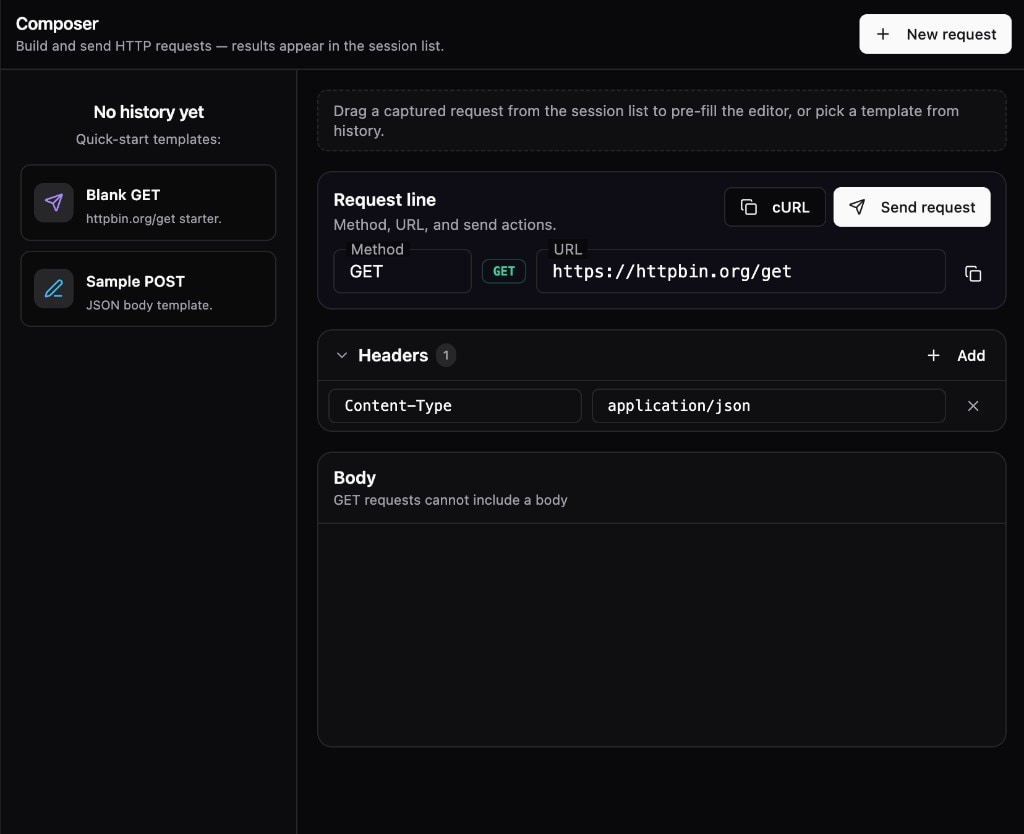
Build and send HTTP requests.
Write a new request in Composer, or drag a captured request into it. Yanshuf adds the result to the capture list.
- Set the method, the URL, the headers, and the body.
- Drag a request from the capture list into Composer.
- Start from a GET or a POST template.
- Copy the request as a cURL command.

AI Integration
Connect Cursor and Claude Code to Yanshuf.
Yanshuf includes a Model Context Protocol (MCP) server. Install it from Settings, and your AI tool can then read the captures and send requests.
- Install the MCP server into your editor with one click.
- Install hooks and skills for your agent at the same time.
- Your agent can search the captures and read a response.
- The API listens on localhost only, and it needs a token.
Open source
If you don't like something, fork it.
$ gh repo fork sefi-uzan/yanshuf --clone
✓ Cloned yanshuf into ./yanshuf
$ cd yanshuf && pnpm install
✓ Packages installed in 4.2s
$ pnpm start
▲ Yanshuf dev server → Electron app launched
- Change the interface. Make the app look the way you want.
- Add your own rules and tools. You have all of the code.
- Build the app yourself. Give your build to your team.
MIT licensed · macOS only
Stop guessing. Look at the traffic.
Yanshuf is free and open source. Install it, trust the Yanshuf root certificate, and enable capture.